
Summer feature update

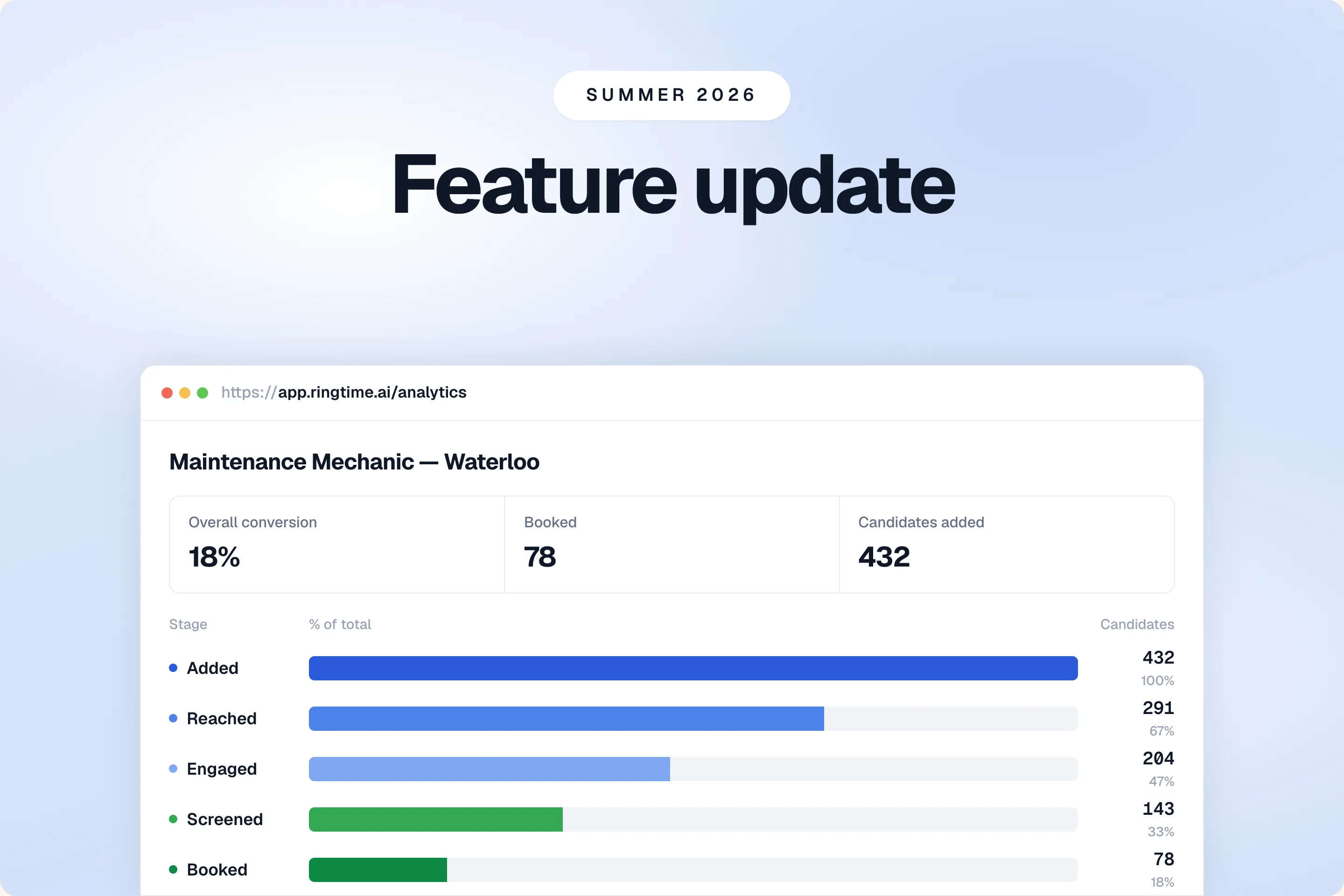
Your recruiters were out catching some sun. We spent the summer building.
You know where we stand. We are on a mission to change how blue-collar and temp workers find work.
And now the summer is over, it is about to get busy in your offices. The factories start up again and the vacancies that sat still in August all need filling at once. That is the month we built for. Each of the six changes below takes a step off a recruiter’s desk.
Read up on the biggest updates we made this summer. Want more detail? We have posts on the interactions log, the email digest and our Connexys integration.
New features we think you will love
- Open one page per candidate and read their whole history with you, across every campaign.
- See where each campaign loses people: every stage from added to booked, with the time it took.
- Book into your recruiters’ Microsoft calendars too. Microsoft Bookings, resolved to the person who owns the vacancy.
- Set your own hours, for calling and for booking, and add your own colleagues.
- Get answers from candidates who never type, by voice note on WhatsApp.
Disclaimer: All candidate data shown is fictional. Screenshots are taken from a demo environment.
One page, the whole story
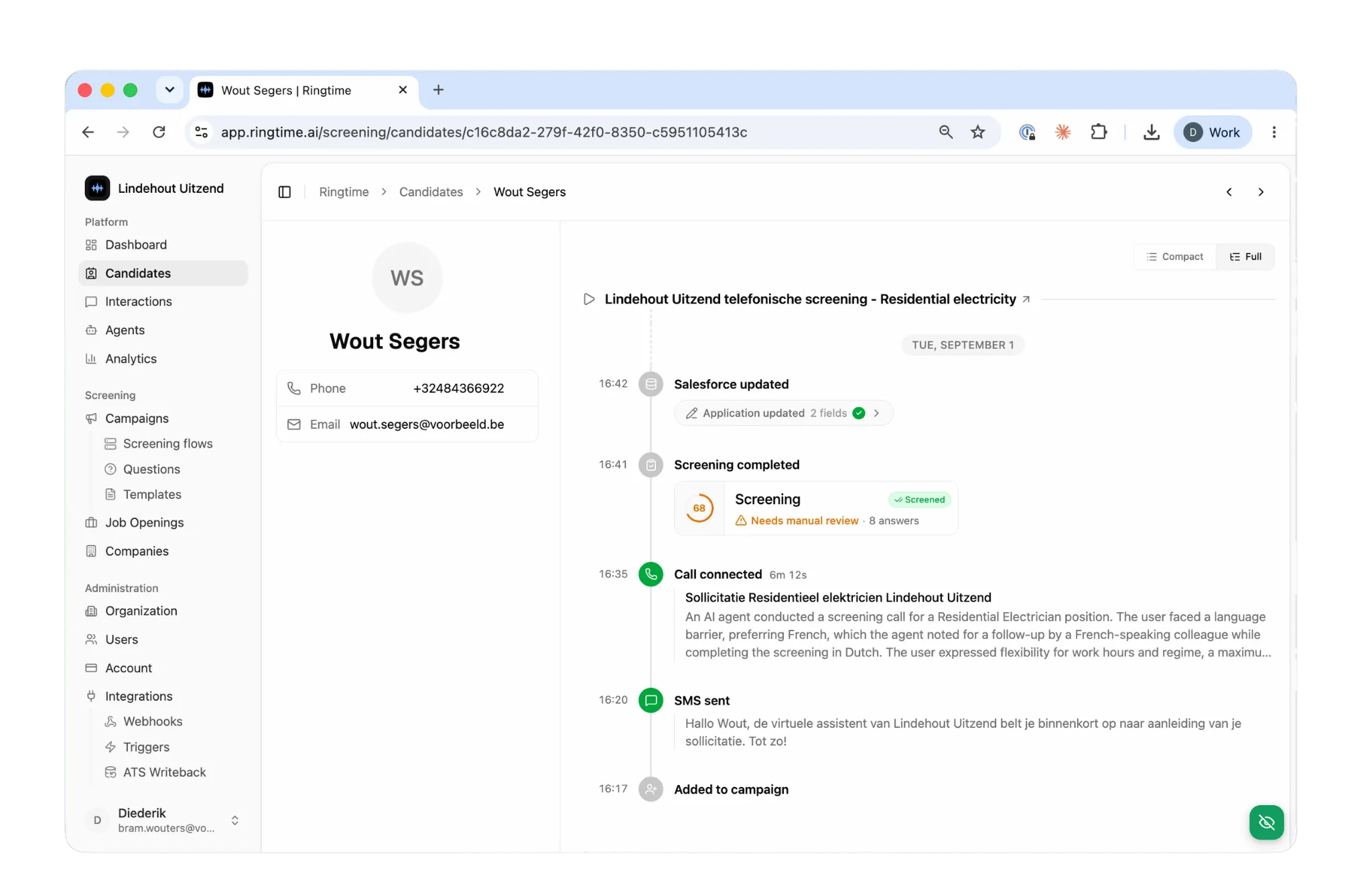
From now on your recruiter knows what has been discussed, in one overview. Ready to proceed with the human interview.
Open anyone on the candidates screen and you get one timeline across every campaign. Every call, every message, the answers they gave, and every field the agent wrote back to your own system.
Messages carry their full text, labelled as a warm-up before a call or a follow-up after one, with the delivery status the network returned. Write-backs appear as their own step, under the field name a recruiter recognises rather than the raw one from your system.
You can filter the directory by outcome, by country, by the date a candidate was added, and export the filtered list to CSV or Excel to re-upload it into another campaign.
Every campaign, from added to booked
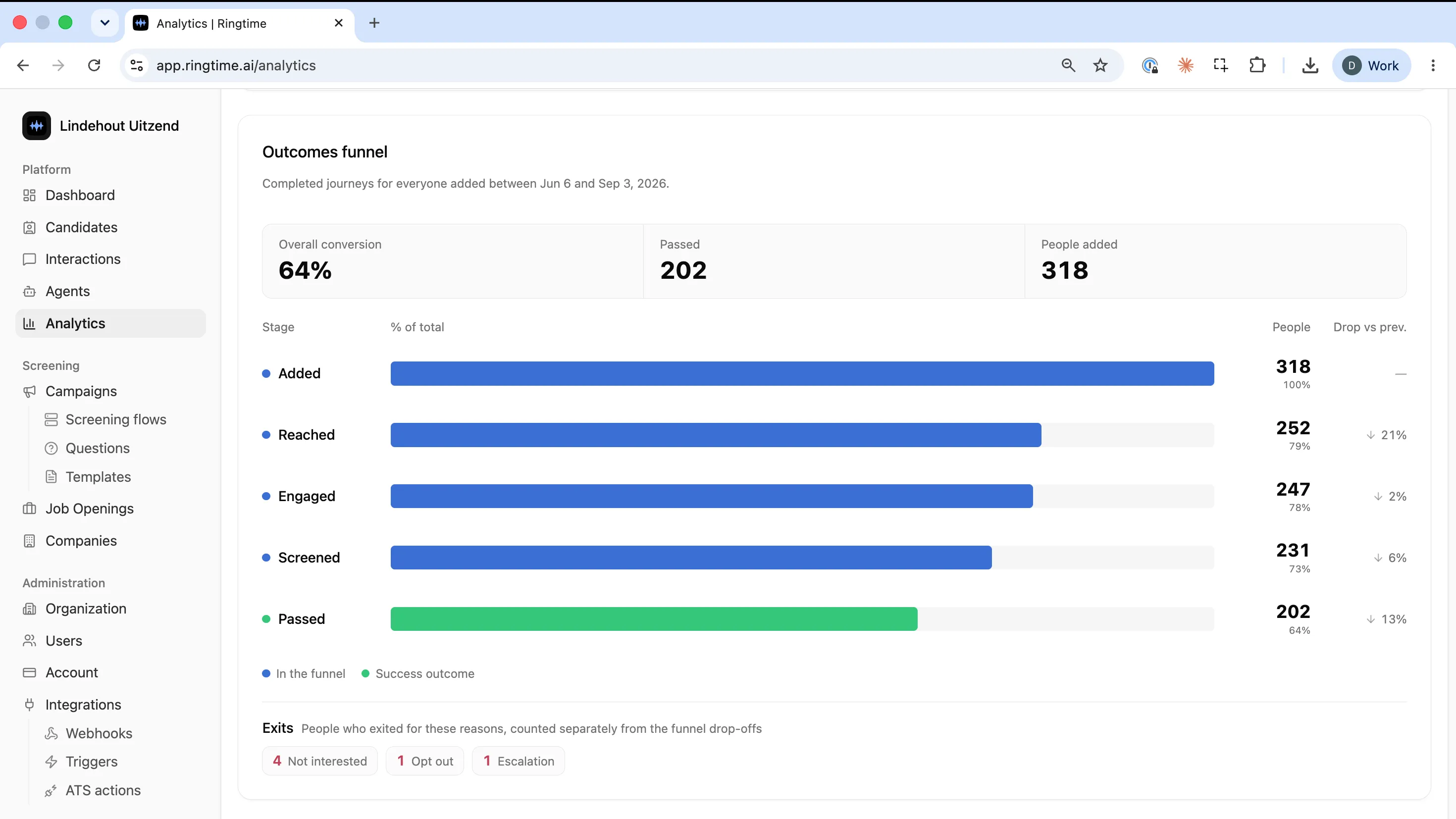
You see the experience each campaign delivers: where it loses people, and how long they waited at every step. Numbers you can put in front of a client.
Across everything you run, the Analytics page shows the funnel end to end: Added, Reached, Engaged, Screened, Qualified, Booked. Every stage carries its headcount and its share of the total, with the overall conversion above it, so you can see exactly where people go quiet.
Inside a single campaign, the results now sit in their own Performance tab, with time to first contact and time to screening for that campaign, and Details rebuilt beside it. Down at the level of one person, the timings sit on their own candidate page.
The period picker drives the whole page, so the charts, the candidate list and the filter pills all describe the same group of people. Narrow the timing charts by phone prefix when one campaign runs across two countries, and break the interaction charts down by campaign or by channel.
The exit reasons are read from the conversation itself. When a call or chat ends, a classifier reads the transcript and records a decline, an opt-out, an ineligibility or a missed voicemail alongside what the agent captured live, so the reason a candidate left the funnel is the reason they actually gave. Those labels read in Dutch as well as English.
Microsoft users, you’re in too
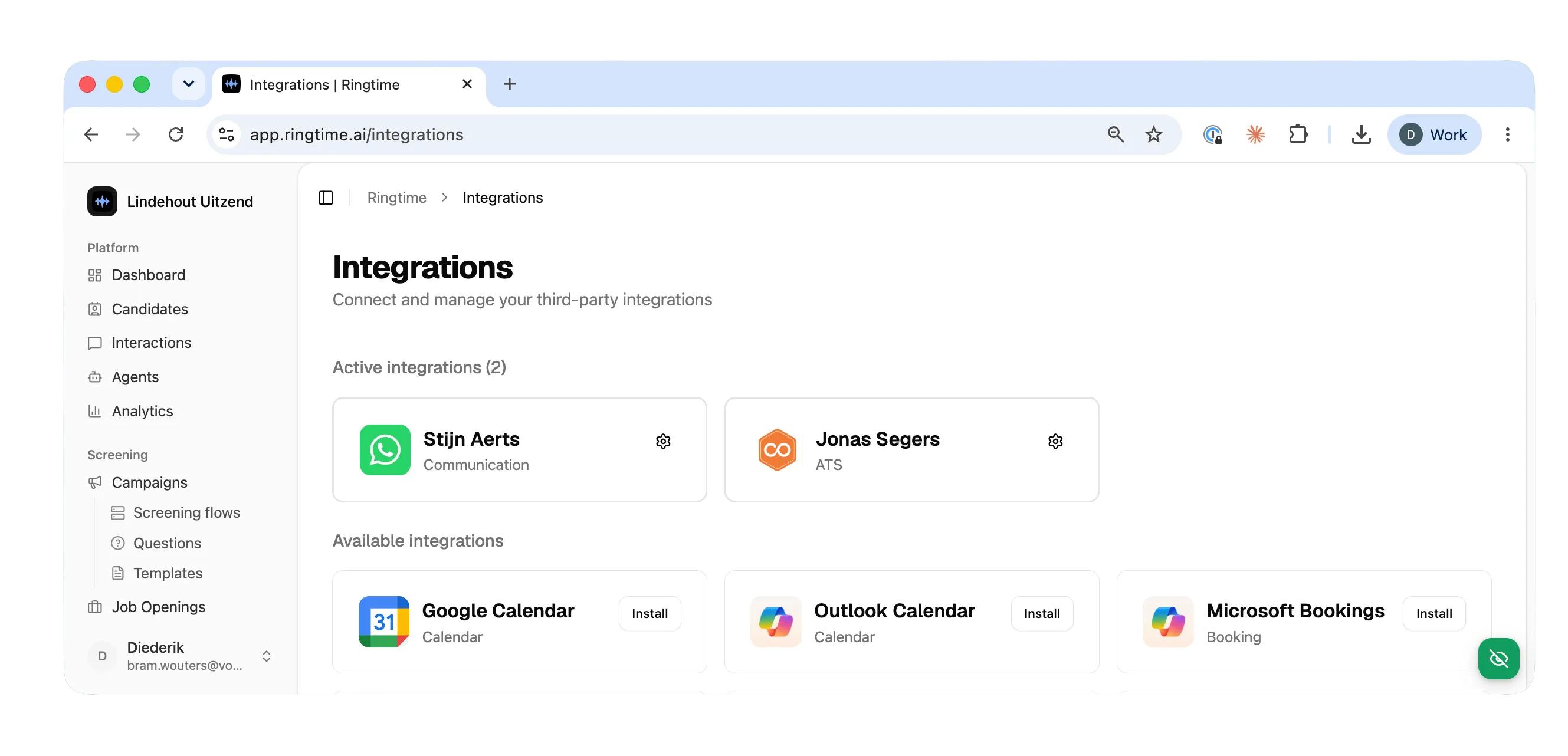
Your agent already booked into Google Calendar. Now it books into Microsoft Bookings too. A candidate who passes screening takes a slot straight away.
In the platform: connect your Microsoft tenant from the integrations page. Run the admin consent, pick the business, the service and the staff resource, and pin a campaign to it.
From there a candidate who clears screening gets a 30-minute slot with the buffer you set, resolved to the recruiter who owns the vacancy and falling back to the office link when nobody owns it. Recruiters never connect their own calendars.
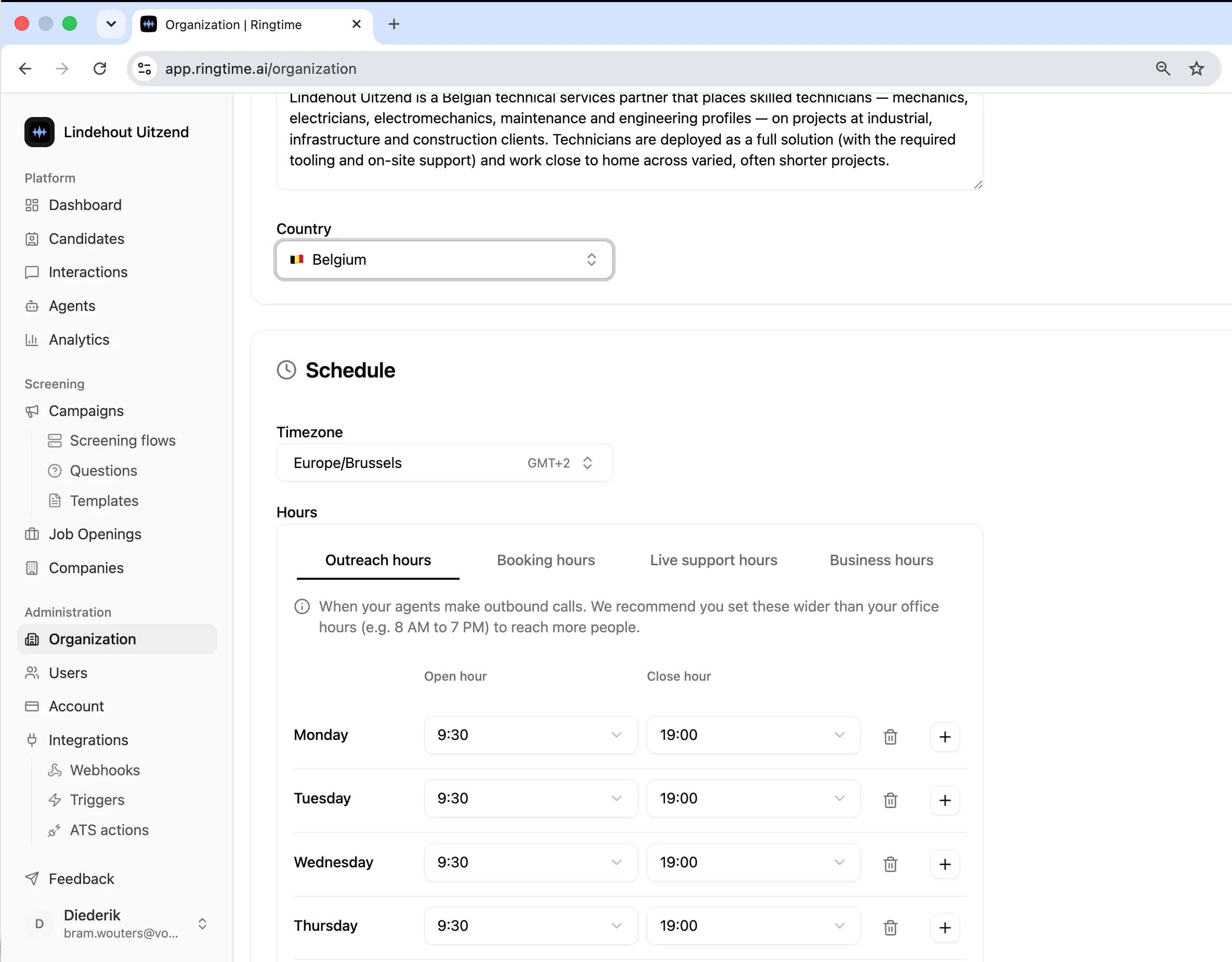
Set up your team and business hours yourself
Set the hours your agent calls and books. Add a colleague and pick which offices they see. No ticket to us.
In the platform: admins and owners get a Members screen, with everyone in the organisation, their role and their workspace access, searchable and editable in one place. A new colleague gets an email the moment their account exists, with a link to the login page.
Set the window your agent may call in, with a buffer around existing appointments. Set the booking window separately. Both sit at organisation level, and what the dashboard shows is what the agent uses.
Voice notes are here
Just like the cool kids, your candidates would rather talk than type. Now they can answer with a voice note, which means more replies from the people who are hardest to reach. In the platform: inbound voice notes are transcribed and answered. A candidate can also pick a conversation back up after Meta’s 24-hour window closes.
And there is (a lot) more. Enjoy
- A candidate’s data can be erased on request, with old data purged automatically on the retention schedule you set.
- A new account page for admins: workspaces, credit balance, subscription and how to reach us, with credits shown for this period and the previous one.
- Carerix sits on the integrations page, with your live stage list read from your own system. Stage moves and notes follow later.
- The agent finds a candidate from a name, an email or a phone number, not only an exact identifier.
- Leave feedback on a whole conversation or on a single turn, and filter the interactions list by status, category, severity and author.
- See which warm-up message a campaign uses before it goes out.
- The weekly recruiter email lists the meetings booked per campaign.
- Filter a campaign’s candidates by the date they were added, and the whole directory by phone country code.
- Search the task list by name, phone or email, with phone matching that tolerates spaces, dashes and country codes.
- The trigger log got a screen: one search box across contact name, phone, request id, external id, routing key and task id, plus error codes and sortable columns.
- Screening questions read as one card, and the screening pages open in the candidate’s own language.
- Set up WhatsApp with a walkthrough video in the install panel.
- Contracts can run with no overage: when the included allowance is used up, work pauses.
- Admins can see and set a colleague’s daily digest.
- Testing got a lot easier, customers can no call their own data, without influencing data reporting.
Book a demo if you want to see this on your own vacancies.
A screening is only worth as much as the appointment it produces. That is where most of this summer went.
BLOG